
A missed deadline rarely starts on the day a job is due.
It usually starts earlier.
A material shortage is entered into one spreadsheet but never reaches the production schedule. A supervisor updates a work order, while purchasing, finance, and customer service continue working from yesterday's version. Labor gets assigned, but an approval is still missing.
By the time someone realizes the job is slipping, the problem has already spread.
That is the real weakness of spreadsheet-based work order tracking. Spreadsheets are familiar, flexible, and inexpensive. For a small team managing a limited number of jobs, they may work well enough.
But as the business grows, "well enough" becomes risky.
More jobs mean more updates. More employees mean more people editing information. More departments create more handoffs between operations, inventory, purchasing, accounting, field teams, and customer service.
Eventually, the spreadsheet stops being a tracking tool and becomes a place where everyone records a different version of reality.
What Work Order Tracking Actually Requires
Effective work order tracking involves more than listing job numbers, owners, and due dates.
A reliable system should help teams answer several practical questions at any moment. What is the current job status? Who owns the next step? Are the required materials available? Has labor been assigned? Are approvals delaying progress? Is the job still within budget? Will it be completed on time?
A spreadsheet can store some of this information. The challenge is keeping every detail current, connected, and visible to the right people.
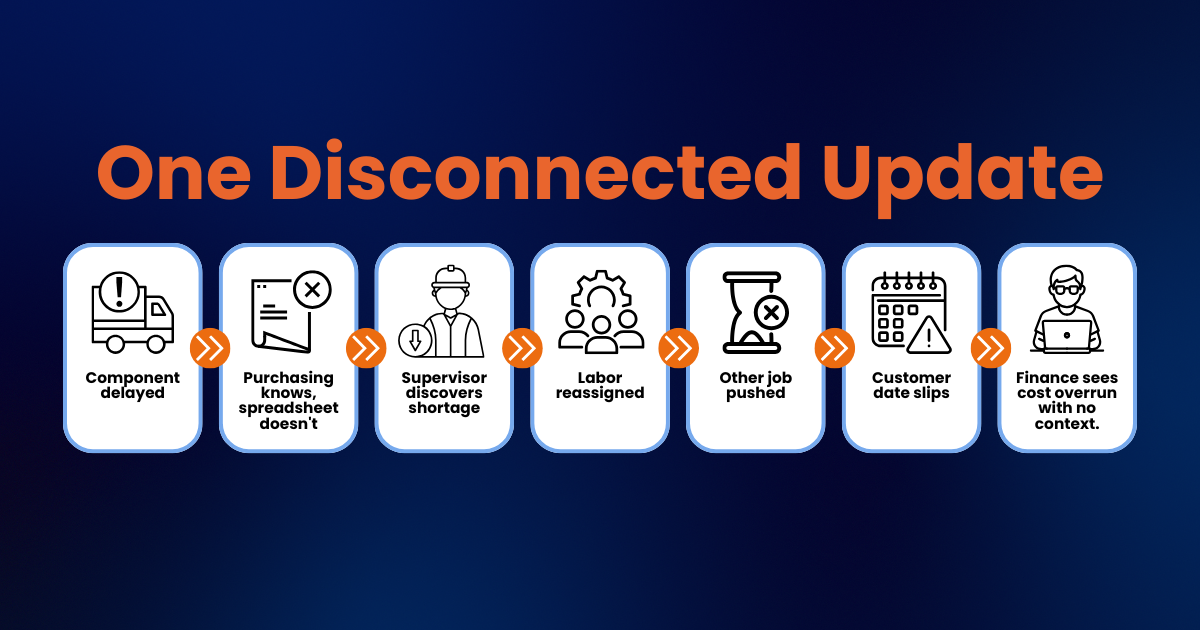
Consider a production job scheduled to begin Monday morning. The spreadsheet shows it as ready, but a purchased component has not arrived. Purchasing knows about the delay, but its information sits in another file.
The supervisor discovers the shortage when the team is ready to start.
Now labor must be reassigned. Another job may need to be moved forward. The customer may require a revised delivery date. Finance may later see higher labor costs without understanding what caused them.
One disconnected update has created problems across the business.
Why Spreadsheet Work Order Tracking Breaks Down
Spreadsheets usually fail gradually, not all at once.
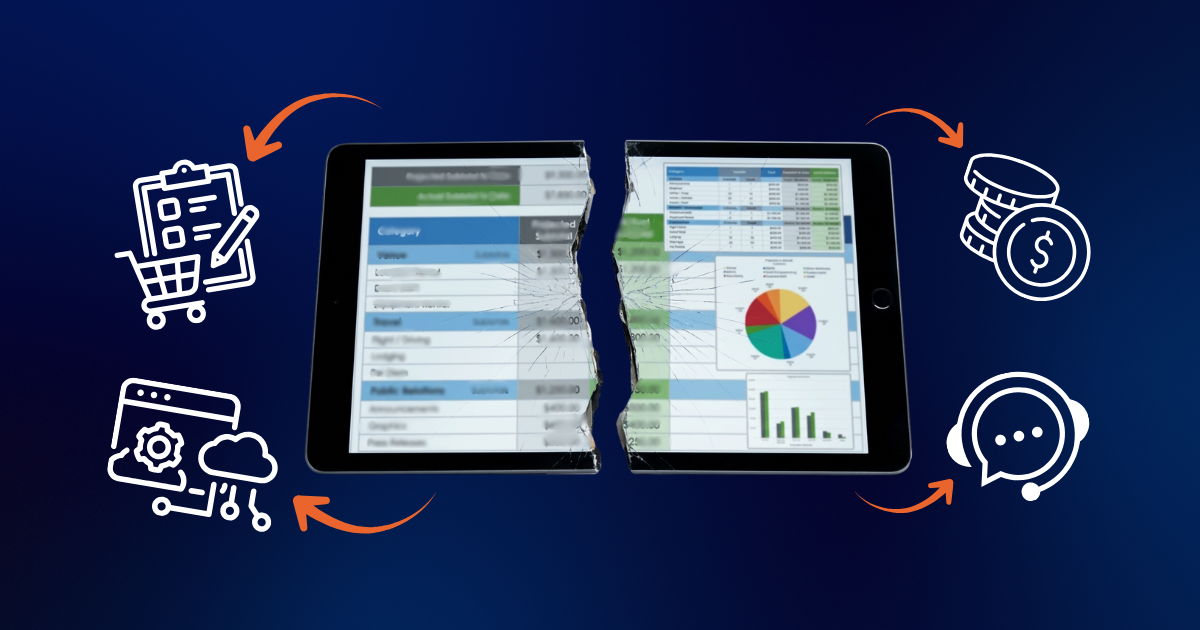
The business adds another tab. Then another column. Color codes, formulas, filters, and comments follow. Someone creates a "master" file and takes responsibility for maintaining it.
Eventually, the process depends almost entirely on employees entering the right information at the right time.
That creates five common problems.
1. No One Knows Which Version Is Current
Employees download files, create copies, or maintain separate departmental trackers. Even shared cloud spreadsheets can become confusing when teams use different tabs, filters, naming conventions, and update schedules. Operations may show a job as ready while purchasing lists it as waiting for materials.
The company has plenty of data, but no trusted source of truth.
2. Updates Arrive Too Late
Spreadsheet-based work order tracking depends on people remembering to enter updates. If employees wait until the end of a shift, the next morning, or the weekly meeting, managers make decisions using old information. A material shortage, equipment issue, or labor overrun may already be affecting the schedule before leadership sees it.
Delayed information creates delayed decisions.
3. Departments Stay Disconnected
A work order rarely belongs to only one department. Operations needs the schedule. Purchasing needs material requirements. Inventory needs demand visibility. Finance needs labor and cost information. Customer service needs realistic completion dates.
When each department works in a separate system, employees spend hours re-entering information, requesting updates, and reconciling differences.
The real cost is not the spreadsheet itself. It is the time spent finding, confirming, correcting, and explaining the information inside it.
4. Accountability Becomes Unclear
A spreadsheet may show that a job is delayed, but it does not always explain why. Is it waiting for materials? Is approval missing? Has a technician not been assigned? Did the customer change the scope? Was the work completed but never closed?
Without a defined workflow, responsibility becomes vague. Managers must call, message, or schedule meetings simply to understand what is holding up the job.
5. Job Costs Are Separated From Job Progress
A job can appear to be on schedule while quietly losing money.
Labor hours may exceed the estimate. Materials may be consumed without being recorded. Rework may not be connected to the original work order. Additional purchases may reach accounting after operations has already marked the job complete.
When job progress and financial information remain separate, cost overruns are often discovered too late to correct.
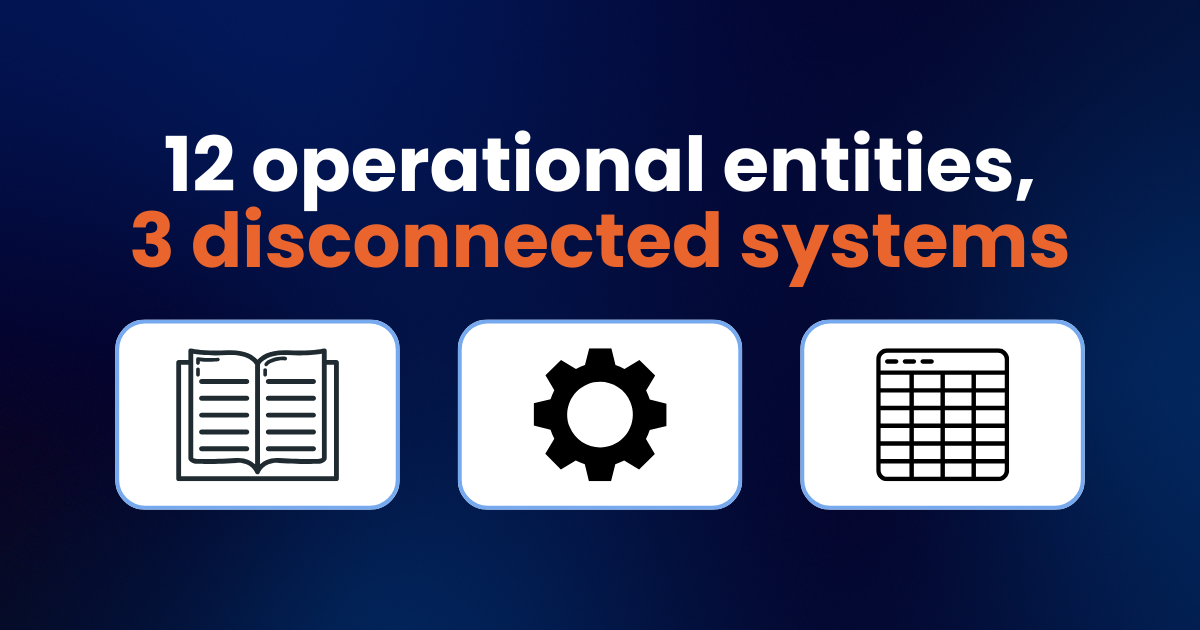
A PTP client, Mid-States Companies, a vertically integrated construction and manufacturing firm with 12 operational entities spanning millwright, engineering, trucking, and material handling, was running QuickBooks, JobBOSS, and spreadsheets across all 12 entities before their ERP implementation. There was no centralized data, no intercompany tracking, and no one but their external accountant could pull a reliable report. During discovery, PTP mapped the actual workflows across construction and manufacturing, including project budgets, WIP tracking, and man-hour analysis that QuickBooks and JobBOSS had never connected. Surfacing that complexity before configuration, rather than mid-project, is what let PTP build a system that worked across all 12 entities from day one.
The Real Cost of Poor Work Order Tracking
The most visible result may be a late job, but the operational impact goes further.
Poor work order tracking creates overtime from sudden schedule changes, idle labor while teams wait for materials, rush shipping and emergency purchases, duplicate data entry across departments, delayed invoicing because jobs aren't closed promptly, higher rework rates, weak job-margin visibility, inaccurate customer updates, and more internal status meetings than anyone wants to attend.
Each issue may seem manageable on its own. Together, they create a business that feels much harder to run than it should.
Leaders may assume they have a communication or employee-performance problem. Often, the real problem is that capable employees are working from disconnected information.
Work Order Software vs. ERP
Moving away from spreadsheets does not automatically mean every business needs a full ERP platform.
Standalone work order software may improve scheduling, assignments, status updates, documentation, mobile access, and job history. That can be valuable when the main need is organizing tasks or service activity.
The limitation appears when work orders need to connect with the rest of the business.
If the work order software does not share current information with inventory, purchasing, accounting, payroll, customer records, or job costing, the company may simply replace one disconnected tool with another.
ERP takes a broader approach. Instead of treating the work order as an isolated task, ERP connects it with the operational and financial processes surrounding it. A work order can create material demand. Inventory availability can affect scheduling. Purchasing can see shortages. Employees can record labor directly against the job. Managers can compare estimated and actual costs. Finance can prepare invoices more quickly after completion.
The value is not simply having a larger system. The value is connecting the decisions.
How ERP Helps Keep Jobs on Schedule
A properly configured ERP system gives teams visibility before a problem becomes a missed deadline.
Centralized job information means every team sees the same job status, priority, due date, instructions, documents, and ownership details. Employees spend less time checking files or confirming which update is accurate. When a supervisor changes a status, everyone who needs to know sees it immediately rather than waiting for someone to forward a spreadsheet.
Connected inventory and purchasing means the system can show whether required materials are available, reserved, ordered, or delayed. Operations can adjust the schedule earlier rather than discovering a shortage when work is supposed to begin. If a purchase order is running late, that delay surfaces on the production schedule automatically instead of sitting in a purchasing inbox.
Better labor and capacity planning means managers can compare available labor with scheduled demand. They can identify overloaded teams, open capacity, and resource conflicts before committing to unrealistic dates. Instead of realizing on Thursday that Friday's jobs can't all be staffed, the conflict shows up when the work is scheduled.
Real-time cost visibility means labor, materials, purchases, and other costs are tied directly to the work order as they happen. This allows operations and finance to see whether a job is progressing profitably, not just whether it is moving forward. A job that's on schedule but 30% over budget is a problem worth catching before it's finished, not after.
More accurate customer communication means that when work order information is current, customer-facing employees can provide dependable updates without interrupting supervisors or making promises based on outdated spreadsheets. Customers get answers they can trust, which builds confidence in the relationship.
What Different Leaders Gain
A connected work order process provides different value across the organization.
For a COO or operations leader, it improves scheduling, accountability, capacity planning, and resource coordination. For finance and controllers, it creates stronger labor reporting, job costing, margin visibility, and invoicing accuracy. For IT, it reduces duplicate applications, manual integrations, inconsistent data, and support demands. For owners and executives, it allows the company to handle more work without increasing operational confusion at the same rate.
The goal is not to make every employee use more technology. It is to make the information they already need easier to trust and act on.
Signs You Have Outgrown Spreadsheet Tracking
The right time to consider a new system is not determined by employee count alone.
It may be time to evaluate work order software or ERP when employees regularly ask which file is current, when meetings are required to confirm basic job status, when work is delayed because materials or approvals were missed, when multiple departments maintain separate trackers, when job costs remain unclear until after completion, when customer updates require calling the operations team, when managers spend more time collecting information than using it, or when the company is adding more jobs, locations, technicians, or production capacity.
These are not merely spreadsheet problems. They are signs that the business has outgrown a manual operating process.
A Practical Path Forward
The next step should not be buying software immediately.
Start by mapping the current process. Identify where work order information begins, who updates it, where it gets duplicated, and which handoffs create delays.
Then improve the process in three stages.
First, stabilize it. Standardize work order statuses, ownership, approval steps, and required information. Get everyone working from the same definitions before introducing any new tools.
Next, connect it. Bring scheduling, inventory, purchasing, labor, job costing, and accounting into a shared workflow. This is where disconnected handoffs get replaced with automatic data flow, and where the biggest time savings typically appear.
Finally, use the resulting data to improve performance. Track schedule adherence, cycle time, labor efficiency, material variance, rework, and job margins. Once you trust the data, it stops being a reporting exercise and starts driving better decisions about capacity, pricing, and growth.
This phased approach reduces risk because the business does not automate confusion. It fixes the process first and then supports it with the right system.
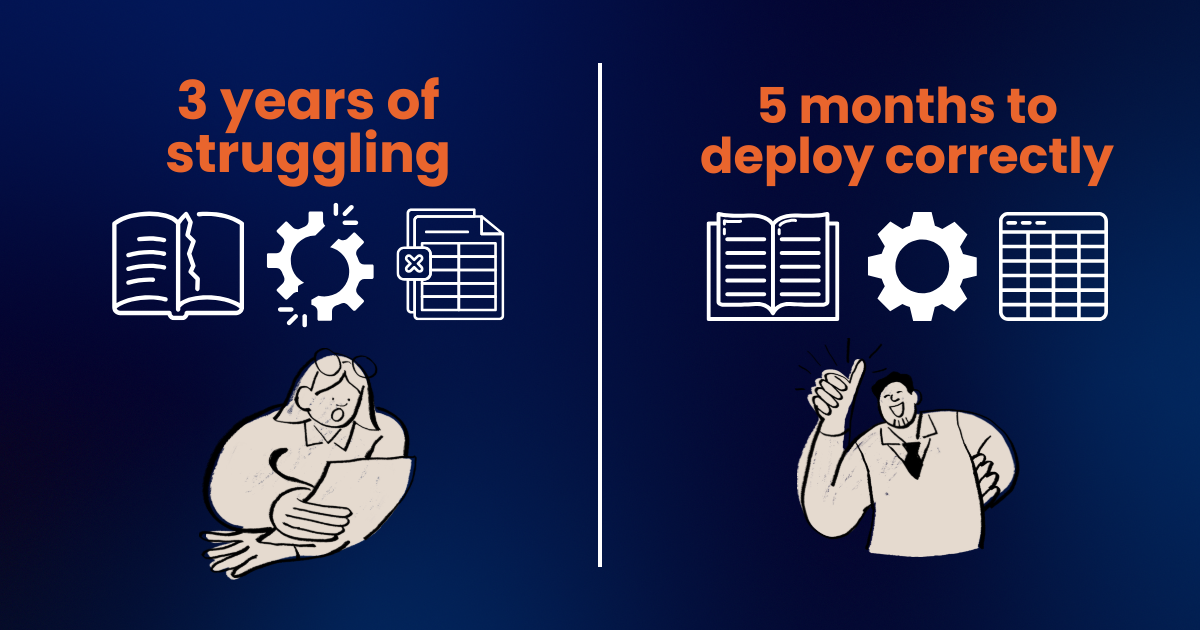
A PTP client, Raubex Construction's Materials Handling and Mining division, spent three years struggling with a legacy ERP where inventory control, data visibility, and reporting were all disconnected from each other. Rather than jumping straight to a new platform, PTP started with discovery, mapping exactly where the current system broke down, what data needed to move, and which workflows needed to be rebuilt instead of copied over as-is. With that groundwork in place, PTP deployed Acumatica Advanced Construction in five months. What had taken three years to get wrong took five months to get right, because the project started with a clear picture of how the business actually operated rather than a sales demo.
The Spreadsheet Is Usually a Symptom
Spreadsheets are rarely the entire problem.
They are often a sign that the company has grown faster than its systems. Employees create trackers because they need visibility. Departments build separate files because the central system does not provide the information they need. Managers add meetings because they cannot fully trust the data.
The answer is not simply replacing Excel with a newer interface.
The answer is building a connected process where work orders, people, materials, schedules, costs, and customer commitments move together.
That is what keeps jobs on schedule.
And just as importantly, it gives leaders enough visibility to act before a small delay becomes an expensive one.
Ready to Evaluate Your Work Order Process?
If your team spends too much time reconciling work order spreadsheets, the next step isn't buying software. It's understanding where your current process breaks down and whether work order software or ERP is the right fit.
A Catalyst360 Discovery Session helps you map your current workflows, identify the gaps, and determine the right path forward for your specific operation.
Schedule Your Discovery Session →
See how Acumatica connects work orders with operations and finance →
SUBMIT YOUR COMMENT