
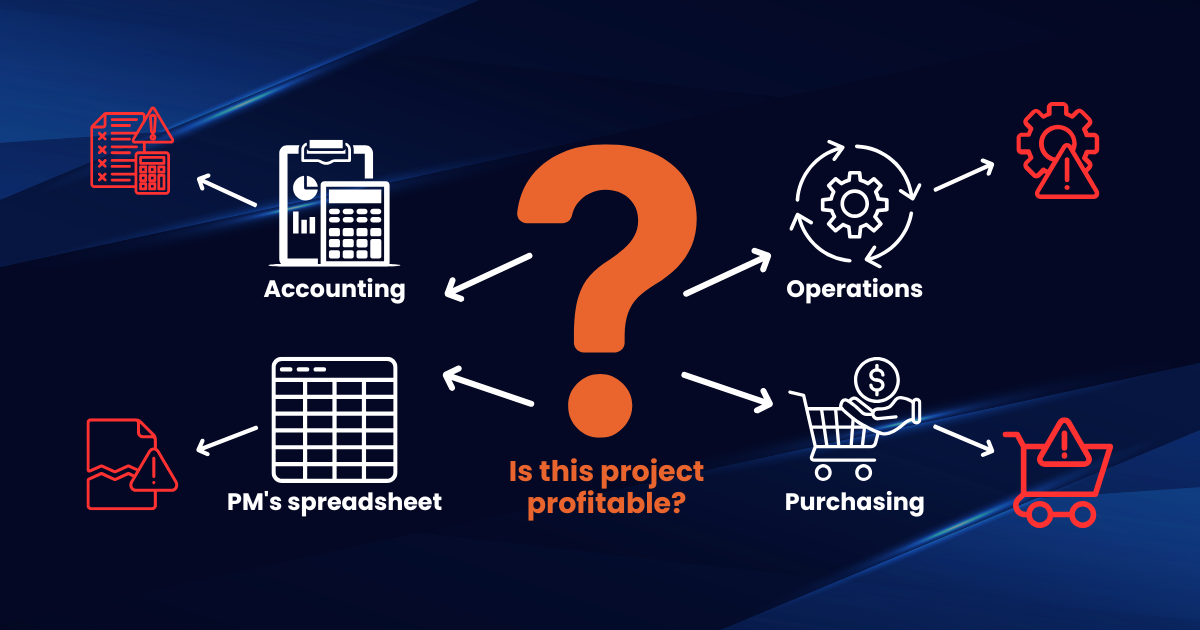
Your accounting system says a project is profitable.
Your project manager is not so sure.
Operations has its own spreadsheet. Purchasing has another. Payroll is waiting for corrected time entries, and the owner cannot get a clear answer about how much committed work is still outstanding.
Nothing is technically broken. The invoices still go out. Employees still get paid. Reports still appear at the end of the month.
But every answer takes longer than it should.
This is often the point when a construction company starts asking whether its construction accounting software is still enough, or whether it is time to move to a full ERP system.
The difference is not simply that ERP is "bigger" or more expensive accounting software. The real difference is the amount of the business each system can connect, control, and report on.
Understanding that distinction can help you avoid upgrading too early, waiting too long, or purchasing a system that does not solve the problems slowing your business down.
What Is Construction Accounting Software?
Construction accounting software is designed to manage the financial side of a construction business.
Depending on the platform, it may handle general ledger accounting, accounts payable and receivable, payroll, invoicing, basic job costing, financial statements, tax reporting, and expense tracking.
For smaller contractors, this may be exactly what the business needs. A company with a manageable number of projects, straightforward payroll, limited purchasing complexity, and a small administrative team may operate successfully with QuickBooks or another accounting platform for years.
The problem usually begins when accounting is no longer the only system the company needs.
The estimating team may use one application. Project managers may track progress in another. Field teams may submit time through a mobile tool. Purchasing may depend on email, spreadsheets, and verbal approvals.
Accounting eventually receives the information, but often after someone has manually checked, corrected, exported, or re-entered it.
At that point, the software may still be performing its accounting functions correctly. It simply does not control enough of the operation.
What Is Construction ERP Software?
Construction ERP software connects financial management with the wider operation of the business.
Instead of treating accounting, project management, purchasing, labor, inventory, and reporting as separate activities, an ERP system brings them into one connected environment. This typically includes financial management, project accounting, job costing, purchasing and procurement, subcontract management, inventory and equipment tracking, field time collection, payroll integration, change order management, billing and retainage, forecasting, dashboards and reporting, and workflow approvals.
The goal is not simply to create more reports. It is to reduce the number of times information must be transferred, reconciled, or interpreted before leadership can trust it.
For example, when a purchase order is approved, the committed cost can become visible against the project immediately. When field labor is submitted, it can update job costs automatically. When a change order is approved, project forecasts and billing can reflect it without waiting for several departments to update separate files.
That connection is what separates ERP from standalone accounting software.
Construction Accounting Software vs ERP: The Core Difference
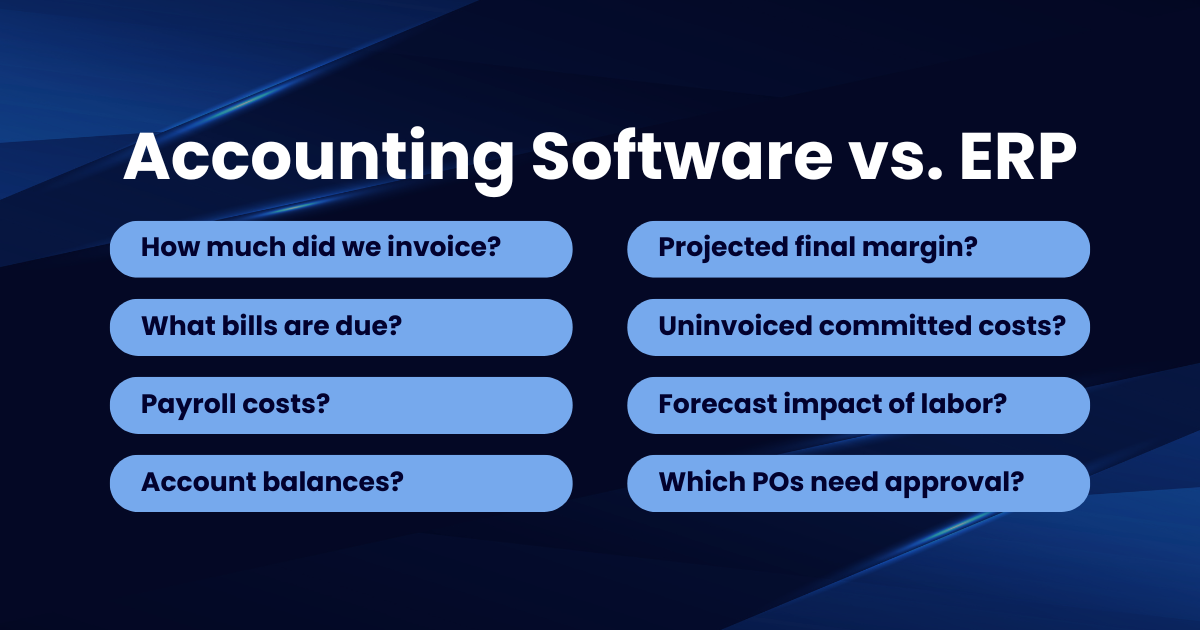
The easiest way to understand the difference is to look at the questions each system is designed to answer.
Construction accounting software answers questions like: how much did we invoice? What bills are due? What were our payroll costs? What is the current balance in each account? What does the income statement show?
A construction ERP system goes further: what is the projected final margin on each active project? Which committed costs have not yet been invoiced? How will current labor performance affect the forecast? Which purchase requests are waiting for approval? Where are change orders delaying billing? Which projects require management attention today?
Accounting software records what happened financially. ERP connects what happened, what is happening, and what is likely to happen next.
That difference becomes more important as a contractor takes on more projects, adds locations, expands its team, or faces more demanding reporting requirements.
When QuickBooks May Still Be Enough
QuickBooks is not automatically the wrong system simply because a construction company is growing. Replacing it before there is a clear operational need can create unnecessary cost and disruption.
Your existing construction accounting software may still be enough when project volume is manageable, job costing is accurate, reports are available on time, teams use a limited number of systems, manual entry remains low, forecasting needs are simple, leadership trusts the numbers, and the company can grow without adding excessive administrative work.
The decision should not be based on revenue alone. Two contractors with similar revenue may have very different system needs. One may complete a small number of predictable projects. The other may manage dozens of jobs, multiple crews, complex billing, inventory, subcontractors, and equipment across several locations.
Operational complexity matters more than a single revenue threshold.
Seven Signs You Have Outgrown Construction Accounting Software
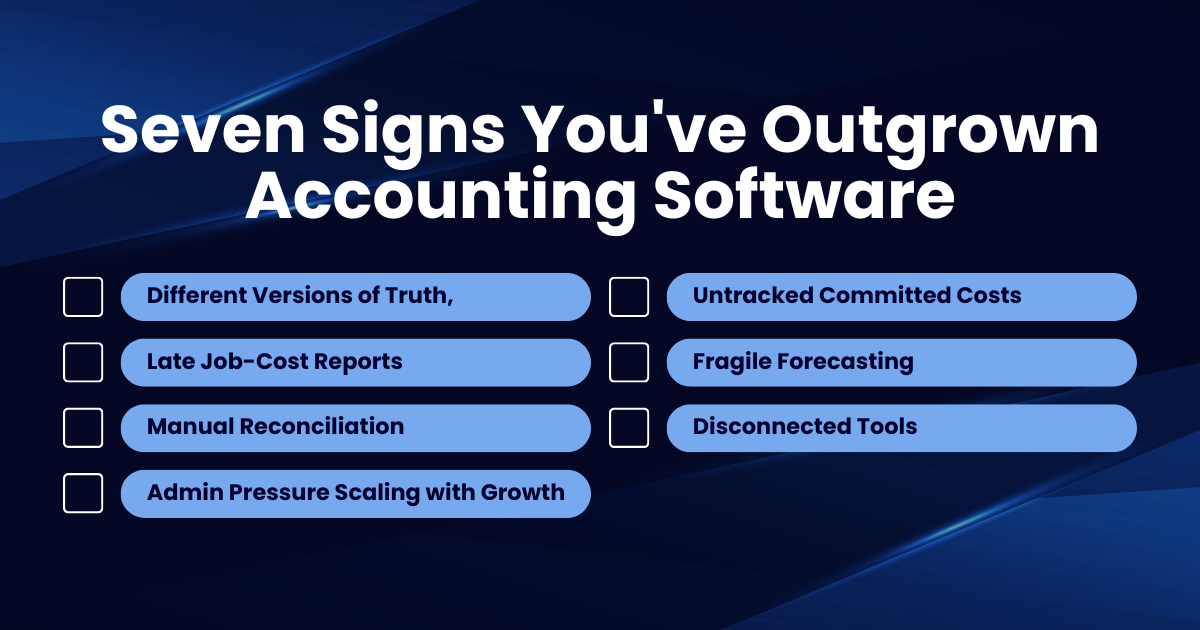
1. Teams Maintain Different Versions of the Truth
Accounting has one number. Operations has another. Project managers rely on their own spreadsheets. When every department maintains a separate version of project performance, leadership spends more time deciding which report is correct than acting on the information.
2. Job-Cost Reports Arrive Too Late
A report can be accurate and still be useless. When labor, purchasing, and subcontractor costs are not reflected until days or weeks later, project managers may not see margin problems until there is little time left to correct them.
3. Manual Reconciliation Has Become Routine
A few spreadsheets are not necessarily a problem. But when employees spend hours exporting data, matching entries, fixing coding errors, and rebuilding reports every week, the process has become a hidden operating cost that grows with every new project.
4. Every New Project Adds Administrative Pressure
Growth should increase revenue faster than it increases back-office work. When every new job requires more data entry, more spreadsheets, more coordination, and more staff, the system is not supporting scale.
5. Purchasing and Committed Costs Are Difficult to Track
Invoices show what has already been billed. They do not always show everything the business has committed to spend. Without connected purchasing and project accounting, leaders may think a project has more available margin or cash than it actually does. This is one of the most common places where construction companies get surprised at project close.
6. Forecasting Depends on Individual Employees
If forecasts only work because one experienced controller or project manager knows how to combine several reports, the process is fragile. Reliable forecasting should come from a repeatable system, not one person's memory. What happens when that person goes on vacation, changes roles, or leaves the company?
7. Existing Tools No Longer Communicate Well
Contractors often delay ERP by adding more applications. One tool handles time. Another handles projects. Another manages documents. Another creates reports. Each tool may solve a valid problem, but the gaps between them create duplicate work and incomplete visibility. At some point, the cost of maintaining all those disconnected tools exceeds the cost of connecting them.
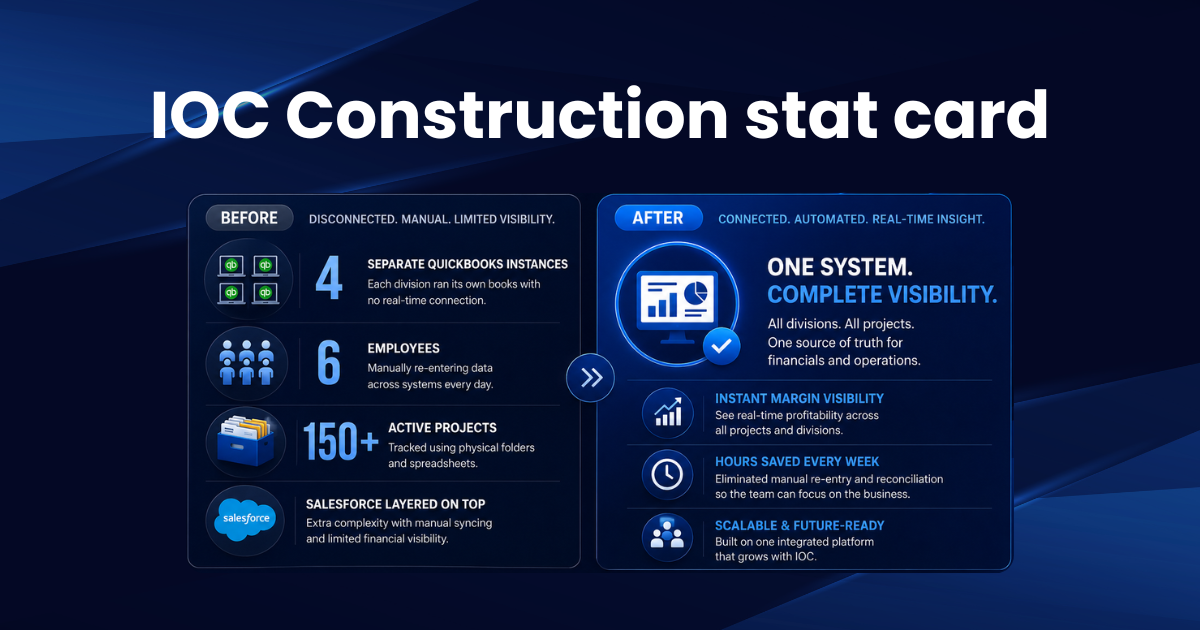
A PTP construction client, IOC Construction, was running four separate QuickBooks instances across its divisions, with Salesforce layered on top just to reconcile the numbers. Credit card receipts were stored in folders, six employees manually re-entered data across platforms, and 150+ active projects were tracked with physical folders passed between departments. After moving to Acumatica Advanced Construction Edition, PTP consolidated all four entities into one system executives now see margins and performance metrics instantly, and departments from sales to field service work off the same data instead of reconciling separate versions of the truth. Read the full IOC Construction study
The Benefits of ERP in Construction
The most important benefits of ERP in construction operations come from connection and consistency.
ERP creates a shared source of information where accounting, operations, purchasing, and project teams work from the same underlying project and financial data. It improves the timing of decisions because leaders can see labor, commitments, billing status, and job performance sooner instead of waiting for month-end reporting.
ERP can also standardize processes so that purchase approvals, change orders, billing, project setup, and reporting follow defined workflows rather than changing from employee to employee. It supports controlled growth by allowing a contractor to add projects, users, locations, and services without creating the same level of administrative complexity. And it improves accountability because when approvals, changes, costs, and responsibilities are visible in one system, fewer issues disappear inside email threads and spreadsheets.
These benefits do not appear automatically after purchasing software. They depend on selecting the right platform and preparing the business to use it well.
Cloud-Based Construction ERP: A Practical Consideration
For many growing contractors, cloud-based construction ERP software offers a more flexible path than maintaining separate on-premise systems.
Cloud platforms make it easier for office teams, project managers, and authorized field users to access current information from different locations. They also reduce the burden of maintaining internal servers and managing software updates. For construction companies with multiple job sites, remote project managers, or field crews who need mobile access, the cloud removes barriers that on-premise systems create.
But "cloud-based" should not be the main reason to choose a system. The platform still needs to fit your project structure, accounting requirements, approval processes, reporting needs, integrations, and growth plans. A modern interface cannot fix a poorly defined implementation.
A PTP construction client, Carma Group, a Las Vegas general contractor with over $100M in revenue, was running QuickBooks Online with no integration into Procore meaning every job-cost insight required manual data transfers and hours of reverse-engineering reports. After implementing Acumatica Construction Edition, project managers gained real-time, mobile-friendly access to job costs and margins from wherever they were working, without the IT overhead of maintaining on-premise servers. Read the full Carma Group study
How to Reduce the Risk of an ERP Upgrade
ERP projects become risky when companies begin with software demos instead of business requirements. A safer approach follows three stages.
Phase 1: Stabilize. Document the systems and processes you already use. Identify where data is duplicated, reports are delayed, responsibilities are unclear, and employees rely on workarounds. This gives you a clear problem list before vendors begin showing features.
Phase 2: Catalyze. Standardize the workflows that the new system must support. Define how project setup, purchasing, labor collection, change orders, billing, forecasting, and reporting should work. Then evaluate construction ERP software against those requirements rather than the other way around.
Phase 3: Maximize. After implementation, use connected data to improve forecasting, automate approvals, monitor project performance, and support strategic growth. ERP should not only replace old software. It should improve how the business operates.
How to Know If You're Ready
One or two of the signs described above may be manageable with process improvements or better use of current tools. Six or seven usually indicate that the problem is no longer a single process. It is the system supporting the entire business.
The right time to consider ERP is not when your accounting software completely fails. By then, the business may already be dealing with reporting delays, margin leakage, frustrated employees, and unreliable forecasts.
The better time is when the company can clearly see that disconnected processes are limiting control and growth, but still has enough stability to plan the transition properly.
That does not mean forcing every contractor into a larger system. Sometimes the right answer is improving the tools you already have. But when accounting, projects, purchasing, labor, and reporting can no longer operate effectively as separate functions, ERP becomes more than a software upgrade. It becomes the operating foundation for the next stage of the business.
Ready to Evaluate Whether It's Time to Upgrade?
If your construction company is outgrowing its accounting software but isn't sure whether ERP is the right move yet, the next step is understanding where your current processes break down and what the right solution actually looks like for your operation.
A Catalyst360 Discovery Session helps you assess those gaps, define the right requirements, and determine whether a full ERP platform is justified, without committing to a platform before you understand the problem.
Schedule Your Discovery Session →
See how Acumatica Construction Edition connects accounting with project operations →
SUBMIT YOUR COMMENT