
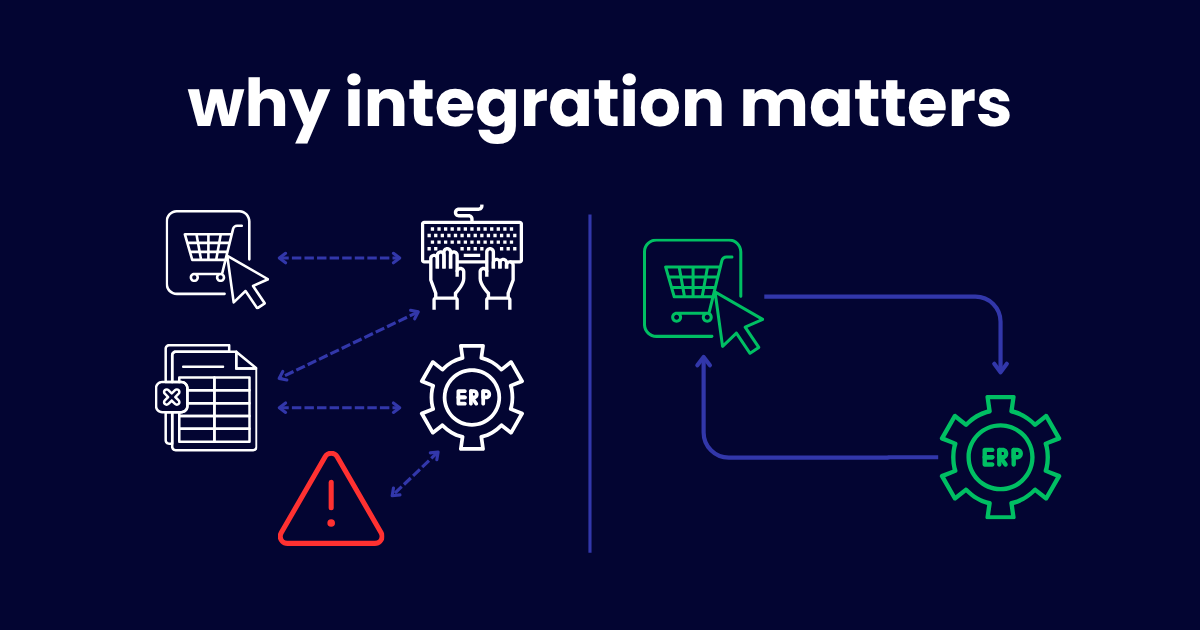
Selling online should make your business more efficient. But for many B2B companies, the opposite happens.
Orders come through the website. Someone manually enters them into the ERP. Inventory falls out of sync. Finance spends hours reconciling transactions. Customer service can't tell a buyer whether their order shipped because the answer lives in a different system than the one they're looking at.
The problem usually isn't the eCommerce platform or the ERP. The problem is that they're not connected.
B2B eCommerce ERP integration connects your online storefront with your back office so orders, inventory, customer records, pricing, shipping, and financial data move automatically between systems. Instead of duplicate entry and spreadsheets, your business operates from accurate, real-time information.
This article breaks down what that integration actually involves, where companies get it wrong, and how to approach it in a way that reduces work instead of creating more.
What B2B eCommerce ERP Integration Actually Means
At its core, this integration allows information to flow automatically between your online store and your ERP. When a customer places an order on your website, that order appears in your ERP without anyone re-entering it. When inventory changes in the warehouse, your website reflects it in real time. When finance processes a payment, the customer's account updates across both systems.
This includes orders, inventory levels, product information, customer-specific pricing, invoices, shipping updates, and account balances. As your business grows, this connection becomes the foundation for scalable operations because it eliminates the manual handoffs that break down under volume.
Why Manual Processes Stop Working
Manual exports, spreadsheet updates, and duplicate data entry may work when order volume is low. A handful of online orders per day is manageable. Someone copies them into the ERP, updates inventory, and moves on.
But that approach quietly creates problems even at low volume. Every manual entry is a chance for error. Every delay between the website and the ERP is a window where inventory can be oversold. Every hour spent on data transfer is an hour not spent on work that grows the business.
And when volume increases, the cracks become canyons.
Growing manufacturers, distributors, and wholesalers hit a point where the manual process consumes more time than the orders themselves justify. Someone is spending their entire morning entering web orders. Someone else is reconciling inventory discrepancies every afternoon. Finance is chasing mismatches at month-end that trace back to timing gaps between systems.
The business added an online channel to scale. Instead, it added a bottleneck.
Growing manufacturers, distributors, and wholesalers hit a point where the manual process consumes more time than the orders themselves justify. Someone is spending their entire morning entering web orders. Someone else is reconciling inventory discrepancies every afternoon. Finance is chasing mismatches at month-end that trace back to timing gaps between systems.
The business added an online channel to scale. Instead, it added a bottleneck.
A PTP-connected manufacturer, Trace Minerals, felt this pain before making the switch. Their team relied on spreadsheets and paper processes just to track order status and inventory someone had to physically walk paperwork between the office and the shop floor to confirm what was in stock. "We couldn't trust the information; we still had to go and look to verify," says Kelly Jones, Director of Regulatory & Quality at Trace Minerals. That kind of manual double-checking is exactly what disappears once systems are actually connected.
What a Properly Integrated System Should Do
The right eCommerce ERP integration isn't just about moving order data. It should handle the full range of B2B complexity that makes your business different from a consumer storefront.
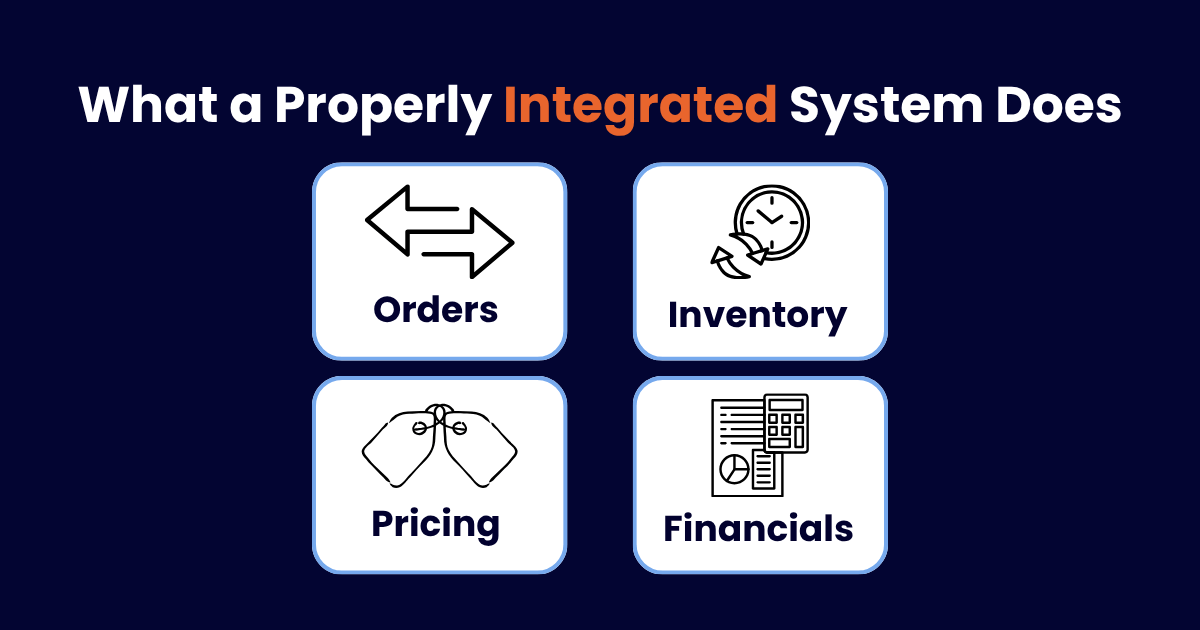
Orders should flow automatically in both directions. When a customer places an order online, it should appear in your ERP immediately with all the details intact: line items, quantities, customer-specific pricing, payment terms, shipping preferences, and any special instructions. When fulfillment updates happen in the ERP, the customer should see them on the website without anyone manually posting updates.
Inventory should stay synchronized in real time. Not once a day. Not every hour. In real time. When a warehouse picks an order, available inventory should update on the website immediately. When a purchase order is received, those quantities should become available online without anyone toggling between systems. This is especially critical for B2B companies with multiple warehouses, where inventory visibility across locations determines whether you can confidently promise delivery.
Customer-specific pricing should be consistent. B2B pricing is rarely simple. You may have contract pricing, volume tiers, customer group discounts, or negotiated rates. The integration should ensure that when a logged-in customer sees pricing on your website, it matches exactly what your ERP would quote them. If those numbers don't match, trust erodes fast.
Financial data should reconcile automatically. Invoices, payments, credits, and account balances should flow between systems without manual intervention. Your finance team shouldn't spend hours matching website transactions to ERP records. That reconciliation should happen in the background.
Why Basic Connectors Often Fall Short
Many companies start with an inexpensive plugin or basic connector to link their eCommerce platform and ERP. For simple B2C or low-volume operations, these can work fine.
B2B is different.
Basic connectors typically move simple order data: customer name, items ordered, total amount. But B2B organizations often require customer-specific pricing that varies by account, negotiated payment terms like net 30 or net 60, multiple warehouse fulfillment logic, approval workflows for large orders, complex inventory rules like lot tracking or serialization, and tax calculations that vary by jurisdiction and customer type.
When the connector can't handle these requirements, your team fills the gaps manually. And suddenly you're back to the same problem integration was supposed to solve, just with an extra system in the middle.
The lesson isn't that connectors are bad. It's that the integration needs to match your actual business complexity, not just your order volume.
Think About Workflows Before Technology
This is where many integration projects go wrong from the start.
A company decides to connect their eCommerce platform and ERP. They start evaluating integration tools. They compare features. They pick one. They implement it.
Six months later, the integration is technically working but the business isn't actually running better. Orders flow between systems, but the fulfillment process downstream is still a mess. Inventory syncs, but nobody trusts the numbers because the underlying data was never cleaned.
The technology worked. The planning didn't.
Before selecting any integration software, map how orders actually move through your business. Not the ideal process. The real one. Follow an order from the moment a customer clicks "submit" through fulfillment, invoicing, and payment. Identify every handoff, every manual step, every place where information gets re-entered or verified.
Then ask: which of these steps should the integration handle automatically, and which ones need to be fixed before automation will help?
Because automating a broken process doesn't fix it. It just makes it break faster.
Common Mistakes That Derail Integration Projects
Treating it as only an IT project. Integration touches sales, operations, warehouse, finance, and customer service. When IT owns the project alone, the result is a technically sound connection that doesn't match how the business actually works. Cross-functional involvement from the start prevents this.
Automating inefficient processes. If your current order fulfillment process has unnecessary steps, automating those steps just moves the inefficiency into the integration. Fix the process first, then automate it.
Ignoring future growth. The integration that handles 50 orders per day may not handle 500. Building for current volume without considering where the business is heading creates a system you'll outgrow within a year or two.
Focusing solely on upfront cost. The cheapest integration option often becomes the most expensive one when it can't handle B2B complexity and your team spends hours working around its limitations. The real cost isn't the software. It's the labor and errors that accumulate when the integration doesn't match your needs.
Skipping testing with real scenarios. Integration should be tested with actual orders, actual inventory, and actual customer accounts before go-live. Sandbox testing with sample data misses the edge cases that cause problems in production.
How Integration Benefits Every Part of the Organization
When eCommerce and ERP are properly connected, the impact reaches well beyond the team that processes orders.
Finance gains cleaner reporting because revenue, costs, and receivables flow automatically from transactions rather than being manually compiled. Month-end reconciliation becomes faster because the data already matches across systems.
Operations improves efficiency because orders arrive in the ERP ready to fulfill, without manual entry delays or data errors. Inventory visibility across channels means better purchasing decisions and fewer stockouts.
Customer service can actually answer questions because they have access to accurate order status, inventory availability, and account information in one place. They stop being message-passers between systems and start solving problems.
Sales can sell with confidence because the website reflects real pricing, real inventory, and real delivery timelines. They stop apologizing for orders that were oversold or incorrectly priced.
Leadership gets a complete picture of how the online channel performs alongside other revenue streams, with data they can trust without manual verification.
A PTP-connected manufacturer, Trace Minerals, saw this play out directly. Before connecting their systems, staff had to physically carry paperwork between the office and the shop floor just to confirm what was in stock. "Now, we have much more inventory control and can trust the information is accurate," says Kelly Jones, Director of Regulatory & Quality at Trace Minerals. "When you are 250 to 400 jobs deep, you have to have accurate inventory or you might allocate resources to one job and not know you need to get more for the next one.
How to Evaluate the Right Integration Approach
When evaluating a B2B eCommerce ERP integration strategy, look beyond feature lists. The questions that matter most are practical ones.
Does the integration support both your ERP and your eCommerce platform natively, or does it require middleware that adds complexity? Can inventory update in real time across all warehouses and channels? Does it handle customer-specific pricing, payment terms, and account structures without manual workarounds? Does financial data flow cleanly enough that your finance team trusts it without re-verifying? And can the solution scale with your business as order volume, product lines, and locations grow?
If the answer to any of these is "sort of" or "with some manual work," that's worth investigating further before committing.
A Phased Approach to Integration
You don't need to connect everything at once. In fact, trying to do so is one of the most common reasons integration projects stall.
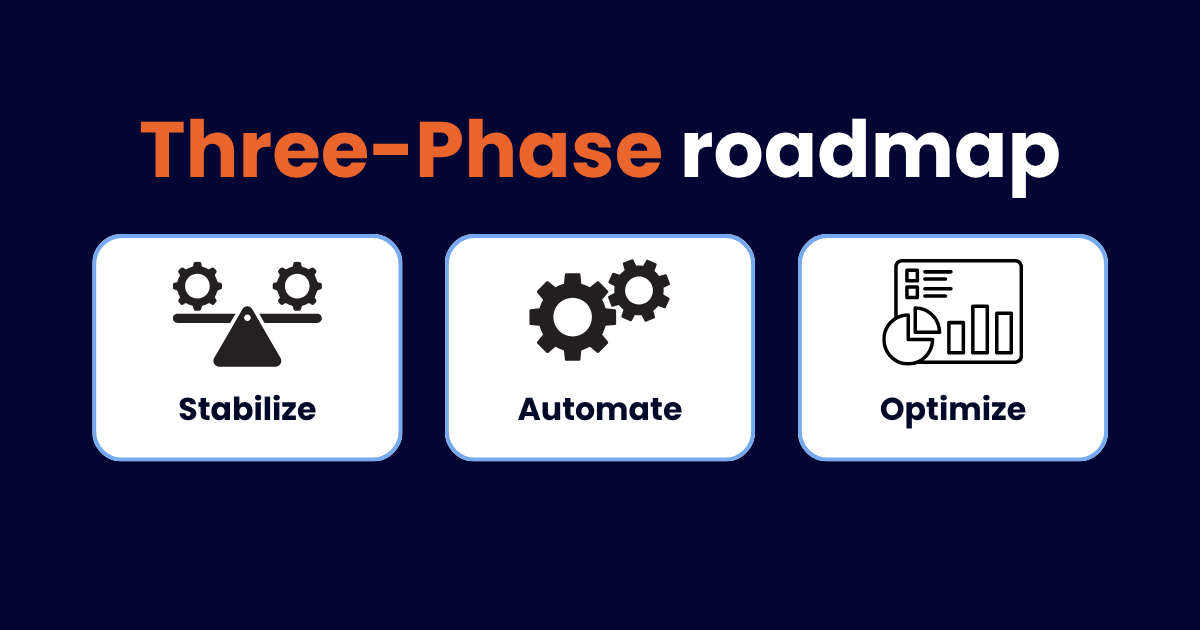
Phase 1: Stabilize. Start with the highest-impact connection, usually order flow and inventory sync. Get accurate data moving between systems reliably before adding complexity. Clean your product data, customer records, and pricing structures so the integration has a solid foundation to work from.
Phase 2: Automate. Expand to automate fulfillment updates, invoicing, payment processing, and customer account synchronization. This is where manual work starts dropping significantly and your team feels the difference.
Phase 3: Optimize. Use the connected data to improve decisions. Analyze which products perform best online versus through traditional channels. Identify customers who would benefit from self-service ordering. Build reporting that shows the true profitability of your online channel with all costs accounted for.
Each phase delivers value on its own while building toward a fully connected operation.
The Bottom Line
Growth should not create more manual work. A well-planned B2B eCommerce ERP integration gives every department accurate information while improving customer experience and operational efficiency.
If your team is spending hours re-entering orders, reconciling inventory between systems, or apologizing to customers for availability mistakes, the problem isn't effort. It's connection.
The right integration eliminates the busywork, gives your team confidence in the data, and turns your online channel into a growth engine rather than an operational headache.
Ready to Connect Your Online Store and Back Office?
If you're planning to launch B2B eCommerce or already selling online but struggling with disconnected systems, the first step is understanding how your current workflows actually operate and where integration would have the most impact.
A Catalyst360 Discovery Session helps you map those workflows, identify the gaps, and build an integration plan that matches your actual business complexity, not a generic template.
Schedule Your Discovery Session →
SUBMIT YOUR COMMENT